CaYaFix
Yayın Tarihi:
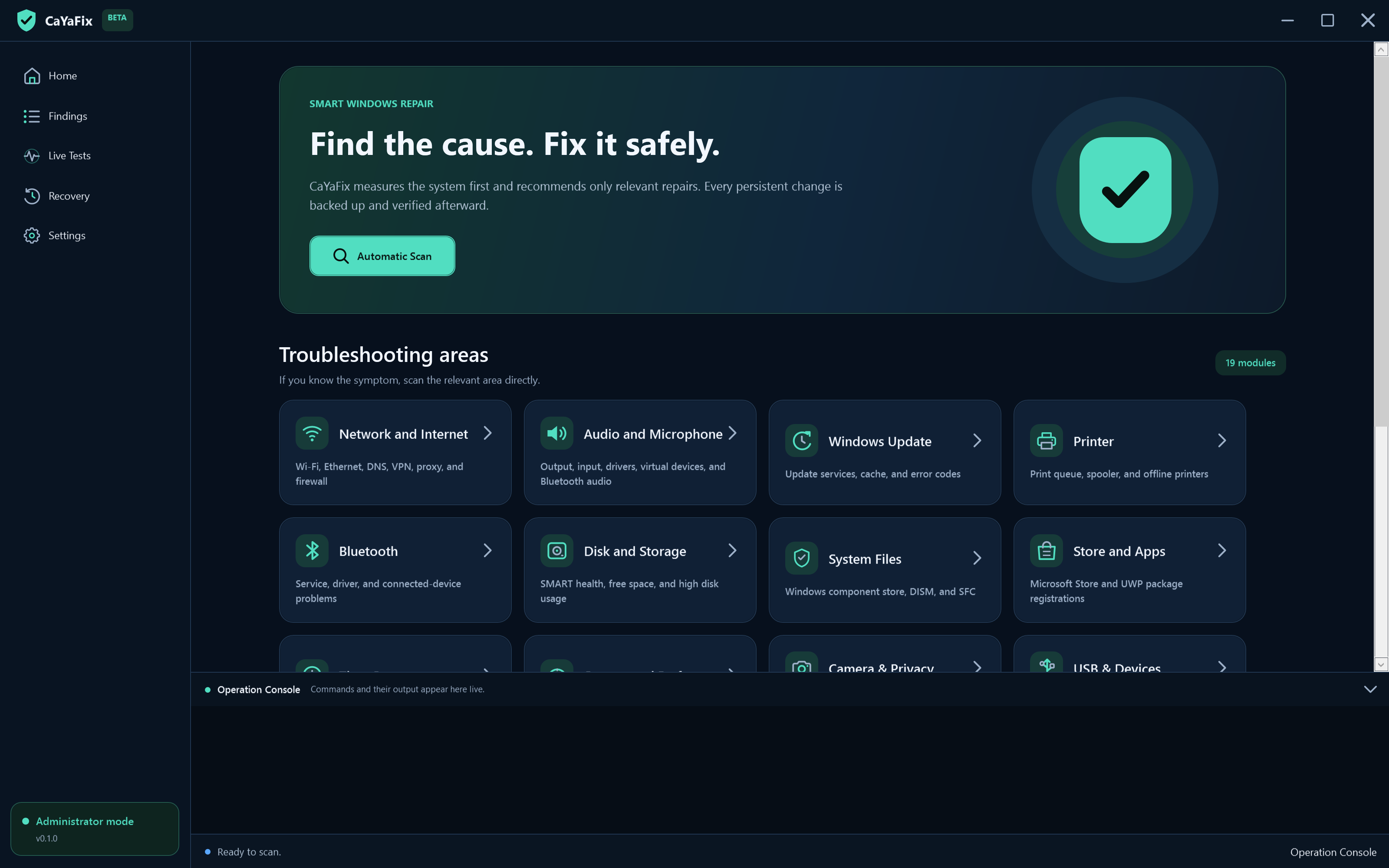
CaYaFix Diagnostics-first Windows troubleshooting with verifiable repair and rollback. CaYaFix is a modern WPF desktop application for diagnosing and repairing common Windows problems. It starts with read-only evidence gathering, maps findings to targeted actions, creates a recoverable backup, applies one change, verifies the action and the originating diagnostic, and records the full session. It does not use one-click scripts that reset unrelated settings, download drivers, collect credentials, or send telemetry. Repository: github.com/CaYatur/CaYaFix GitHub testing This project is tested on GitHub via Actions on master (and main). Live workflow status is shown in the badges above; runs are listed under Actions. Workflow What it verifies CI (ci.yml) validate-repository.ps1, Release build (-warnaserror), unit/integration tests, self-contained win-x64 publish + artifacts CodeQL (codeql.yml) Static security analysis for C Screenshots (screenshots.yml) Real English WPF capture of dashboard.png, findings.png, live-tests.png Soak (soak.yml) Scheduled process-isolated soak with memory/handle ceilings Release (release.yml) Tagged v builds, zip + SHA-256 checksum upload Local + CI gates that must stay green: Catalog: 19 modules · 90 diagnostics · 163 repairs xUnit suite (currently 91 tests) with hang detection Localization parity (EN/TR), SVG/icon policy, MIT headers, trusted executable allowlist Dependabot NuGet and GitHub Actions updates are validated on the same CI path Harmless dry-run tooling for every repair preview (no system mutation): Screenshots These images are captured from the running English WPF application by tools/capture-readme-screenshots.ps1. The capture mode loads deterministic in-app demonstration states so the dashboard, findings, and related views are reproducible; the PNG files are not mockups or generated artwork. Findings and more Highlights 19 troubleshooting modules with 90 diagnostic checks, 163 repair actions with transactional recovery, and...
Özellikler
- Catalog: 19 modules · 90 diagnostics · 163 repairs
- xUnit suite (currently 91 tests) with hang detection
- Localization parity (EN/TR), SVG/icon policy, MIT headers, trusted executable allowlist
- Dependabot NuGet and GitHub Actions updates are validated on the same CI path
- 19 troubleshooting modules with 90 diagnostic checks, 163 repair actions with transactional recovery, and symptom-focused playbooks.
- Guided symptom repair when a scan finds nothing: pick a problem area, read risk and side-effect warnings (audio glitches, network drops, display flicker, and similar), then apply related Safe/Moderate repairs.
- Manual Windows repair tools (Settings): run Microsoft-oriented tools without waiting for a finding — ipconfig suite, network soft-heal, DISM/SFC steps, Win+Ctrl+Shift+B graphics soft-reset, BCD/WinRE helpers, and more. Aggressive tools still require Force risk acceptance.
- Live progress for long tools: themed progress bar with percent complete, estimated remaining minutes, stage labels, and parsing of DISM/SFC-style console percentages when available.
- Deep network diagnostics: adapter/IP/APIPA/gateway, DNS, captive portal, proxy, VPN residue, target-bound routes, firewall, hosts, Winsock, MTU, services, event-log correlation, IPv4/IPv6 bindings, Wi-Fi/TCP health, and repairs from soft-heal through stack/full reset.
- Deep audio diagnostics: endpoints, services, levels, formats, enhancements, privacy, Bluetooth/HDMI, event log, disabled PnP devices, plus enable-all-disabled and rescan repairs.
- Display/GPU: adapter and driver health, resolution/mode lock detection (Basic Display Adapter, sparse modes, sub-native resolution, monitor errors), stuck-resolution repair pack, apply highest supported mode, Display/TDR events, rescan, restart adapters, and Win+Ctrl+Shift+B soft-reset.
- System integrity (Microsoft DISM/SFC path): CheckHealth, ScanHealth, AnalyzeComponentStore, SFC /scannow, DISM RestoreHealth, StartComponentCleanup, and full DISM→SFC chain.