Minecraft CaYa Bot Panel
Published:
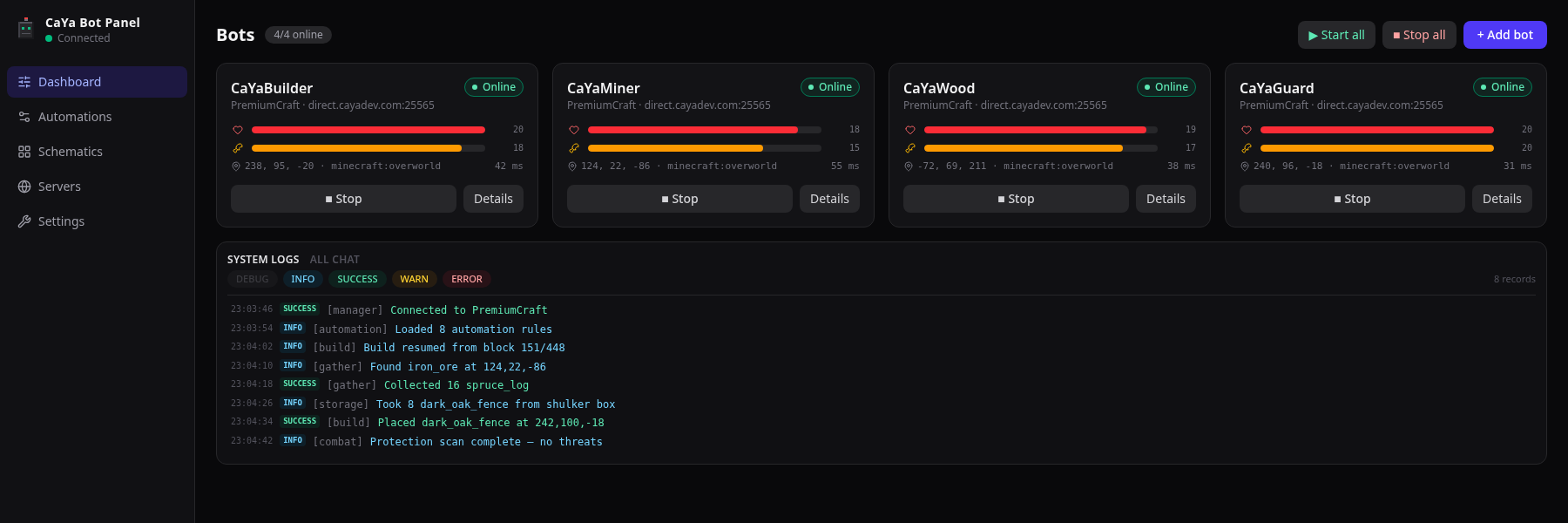
Minecraft CaYa Bot Panel A browser-based, multi-bot control and automation panel for Minecraft Java Edition, powered by Mineflayer. Easy installation Requirements Node.js 18 or newer — Node.js 22 LTS is recommended. A Minecraft Java Edition server that you own or are allowed to use bots on. The current bot login mode is offline authentication. Premium/Microsoft authentication is not implemented yet. Download and install Start the panel Open: Web panel: http://localhost:3000 API and Socket.IO: http://localhost:3001 Connect your first bot Open Servers and create a server profile. Return to Panel and select Add Bot. Choose the server, bot username, and Minecraft version. Start the bot and open its detail page. The server listens on 127.0.0.1 by default. This is intentional: the panel has powerful bot-control endpoints and should not be exposed publicly without an authentication layer and a reverse proxy. Production build After a production build, the Node.js server serves the compiled web interface from: Optional server environment variables: Screenshots Captured directly from the current application interface in English using seeded local demonstration data. The screenshots do not contain real server credentials or private player data. Multi-bot dashboard and live system logs Monitor bot status, health, hunger, position, latency, active work, and application events from one screen. Advanced automation rule configuration Configure trigger permissions, cooldowns, concurrency policy, runtime limits, initial variables, and reusable event context. Nested IF/ELSE and task-result flow Build nested AND/OR condition groups, wait for queued work, save results, retry failed actions, and branch by task status. Drop-specific-items automation Drop an exact amount, every matching stack, or only the amount above a retained inventory threshold. Protected items can be preserved and the discarded count can be used by later nodes. Schematic construction The build workspace includes...
Özellikler
- Node.js 18 or newer — Node.js 22 LTS is recommended.
- A Minecraft Java Edition server that you own or are allowed to use bots on.
- The current bot login mode is offline authentication. Premium/Microsoft authentication is not implemented yet.
- Web panel: http://localhost:3000
- API and Socket.IO: http://localhost:3001
- Chat text or slash-style commands
- Bot being attacked
- A player entering or leaving range
- A follow target moving out of range
- Player join or leave events
- Health or hunger thresholds
- Item-count thresholds